
In HubSpot, the gap between a "Deal Property" and a "Line Item" is where manual errors live. Most teams store a price in a custom deal property (e.g., Contract Value or Consultation Fee) but then require sales reps to manually type that same number into the line item.
This manual data entry is a "tax" on your RevOps productivity.
LineNer App eliminates this by using Tokens. Tokens allow you to pull a value directly from a HubSpot property and inject it into the Unit Price field of a line item automatically.
The Real Value of Token-Based Pricing
-
Zero Manual Entry: Reps no longer type prices. If the property on the Deal or Company is correct, the Line Item is correct.
-
Reporting Integrity: Since the Line Item price is synced from a specific property, your "Deal Amount" and "Product Reports" are always aligned with your "Contract Properties."
-
Process Consistency: You define the pricing logic once in a template, and it remains consistent across every rep and every deal
How to Set Up Tokens in LineNer App?
Tokens use a simple syntax to reference HubSpot internal property names.
1. Identify the Internal Property Name
In HubSpot Settings, find the property you want to use as the price source (e.g., total_project_cost).
Note the Internal Name, not just the label.
2. Configure the LineNer Template
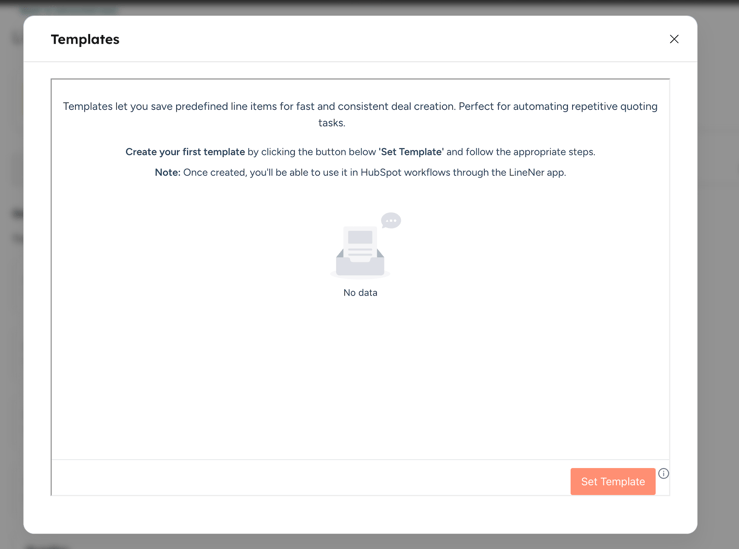
Inside the LineNer app, create or edit a template (you can access templates via Connected Apps > LineNer > Templates or via LineNer Widget on the right side bar in a deal record view).
In the Unit Price field, enter the token using this form:
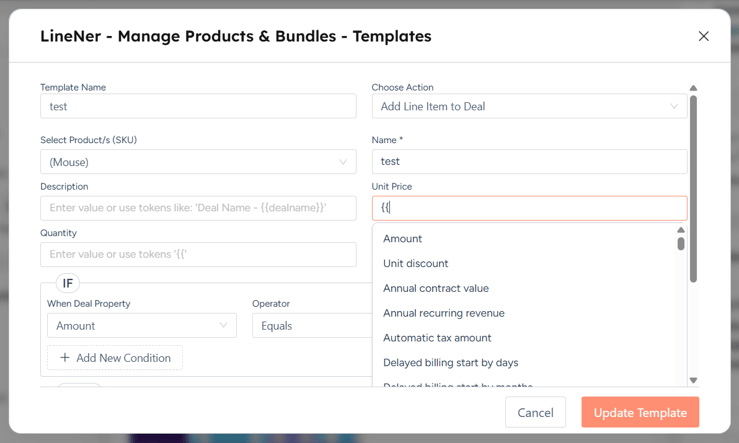
3. Automate via Workflow
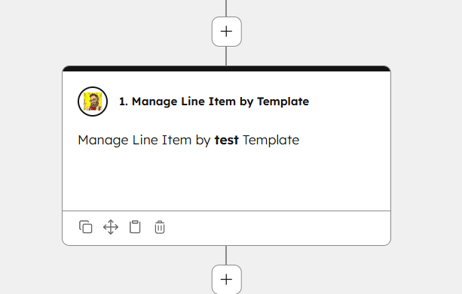
Set up a HubSpot workflow (Deal-based). Add the LineNer: Add Line Items action and select your template. When the workflow triggers, LineNer fetches the real-time value from the property and creates the line item with that exact price.
3 High-Impact Business Use-Cases
Case #1: The Pre-Approved Service Quote
Scenario: A specialized consulting firm determines project pricing during the discovery phase. This price is recorded in a HubSpot property called Agreed Service Fee.
- The Old Way: The rep manually adds a "Consulting" line item and types the fee. Mistakes are common.
- The LineNer Way: The template Unit Price
- Result: As soon as the deal moves to "Proposal," the line item is created with the exact approved fee, ensuring the quote matches the CRM data perfectly.
Case #2: Regional/Tiered Pricing from Company Records
Scenario: A SaaS company has different pricing tiers based on the size of the customer's organization. This tier price is stored on the Company record.
- The Old Way: Reps check the Company record, find the price, and manually enter it into the Deal line item.
- The LineNer Way: Use a Company-level token:
. - Result: LineNer looks at the associated Company, grabs their specific tier price, and applies it to the Deal automatically. No lookups required.
Case #3: Dynamic Renewals
Scenario: For renewal deals, the price must match the "Last Contract Value" stored on the Company record.
- The Old Way: Reps audit previous deals to find what the customer paid last year.
- The LineNer Way: The Renewal Template uses the token
. - Result: Renewals are generated in seconds with 100% pricing accuracy based on historical data.
Operational Constraints & Tips
- Data Types: Ensure the HubSpot property you are referencing is a "Number" or "Currency" type to prevent formatting issues.
- Association Matters: For Company tokens to work, the Deal must be associated with the Company before the LineNer workflow action runs.
Summary
Stop treating line items as separate from your CRM data. By using tokens in LineNer, you turn your HubSpot properties into a "Remote Control" for your pricing. Ready to automate? Install LineNer from the HubSpot Marketplace and start building your first property-driven pricing templates.