
October brought exciting updates from 4CRMs - all focused on giving users more functionality and automation inside the HubSpot CRM.
In sync with this, we’ve rolled out new capabilities across our apps - CloneNer, Copy Line Item Between Deals, and Data Bridge - to help you automate repetitive steps, reduce errors, and keep your CRM structured. Here’s what’s new:
CloneNer - Clone & Duplicate
1. Ability to Calc Options from Other Properties as Tokens
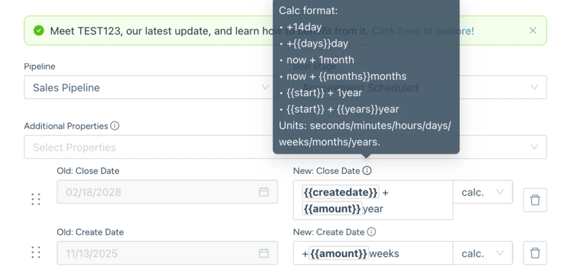
We added the ability to use tokens from other properties in calculation fields. This allows users to create dynamic formulas based on existing values in a deal, contact, or company.
This feature addresses common requests such as:
- Original Deal Start Date + Contract Length to populate a New Deal End Date
- Deal Length + CQToday
Users can now perform calculations like Start Date + 1 year, now + 1 month, or + year. Supported units include seconds, minutes, hours, days, weeks, months, and years.
Examples of calculation formats:
|
|
This makes it easier to automatically populate fields such as Close Date, Contract End Date, or any custom date/time fields using existing data.
Why it matters for business:
- Saves time by automating calculations that previously required manual updates.
- Reduces errors caused by manual data entry or miscalculations.
- Enables more flexible and dynamic workflows by leveraging existing property data.
Get your Free CloneNer test-drive...
Copy Line Items
Email Notifications for Copy Line Items
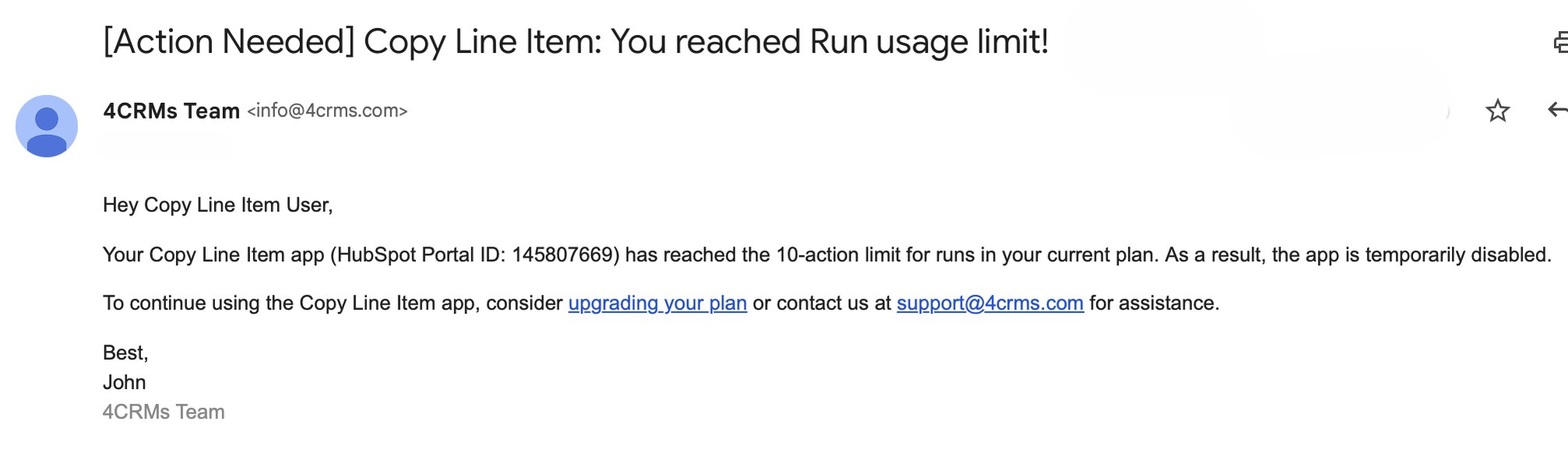
This month, Copy Line Items didn’t receive major changes. However, to improve your experience, users will now receive notifications when approaching their monthly limit. This ensures you stay informed and can plan upgrades or adjust usage accordingly.
Why it matters for business:
- Know when they are close to reaching their limit
- Avoid unexpected interruptions in workflow
- Decide whether to upgrade their plan or adjust usage
Read more on how to get started the Copy Line Items App...
Data Bridge - Bring External Data
1. Support for Appointments, Listings, Courses, and Services Objects
Data Bridge UI elements can now be displayed directly inside Appointments, Listings, Courses, and Services records. This expands where users can embed external content and keeps the experience consistent across more HubSpot objects.
2. View detailed content history in Settings
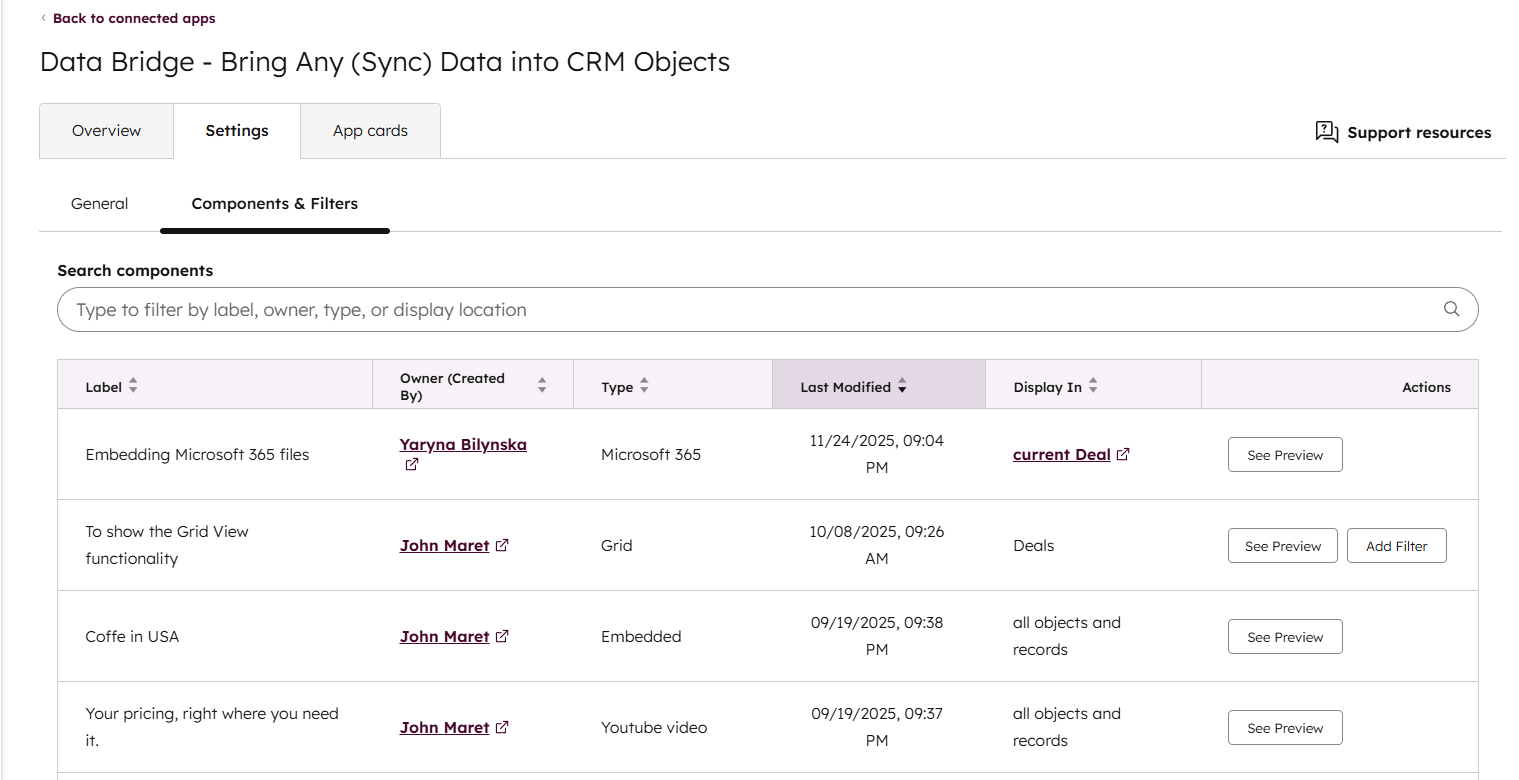
In the Settings panel, you can now review all content inserted via Data Bridge. For each item, you will see:
- the original label
- the owner
- the creator
- the type of inserted content
- the date of the last update
- where it is currently displayed
- a preview of the embedded content
This makes it easier to track, audit, and manage UI elements your team adds through Data Bridge app.
Also you can use "See Preview" to quickly see how the UI element looks like.
Why it matters for business:
- Helps teams quickly audit who added what and where.
- Improves transparency and ownership across all embedded content.
- Makes it easier to troubleshoot or clean up outdated items
Get your Free Data Bridge Onboarding! Apply here...
We’d Love Your Feedback
More updates are on the way, so stay tuned, and feel free to share your feedback - it helps us build HubSpot Apps that truly support the way you work inside HubSpot.

%201.png)