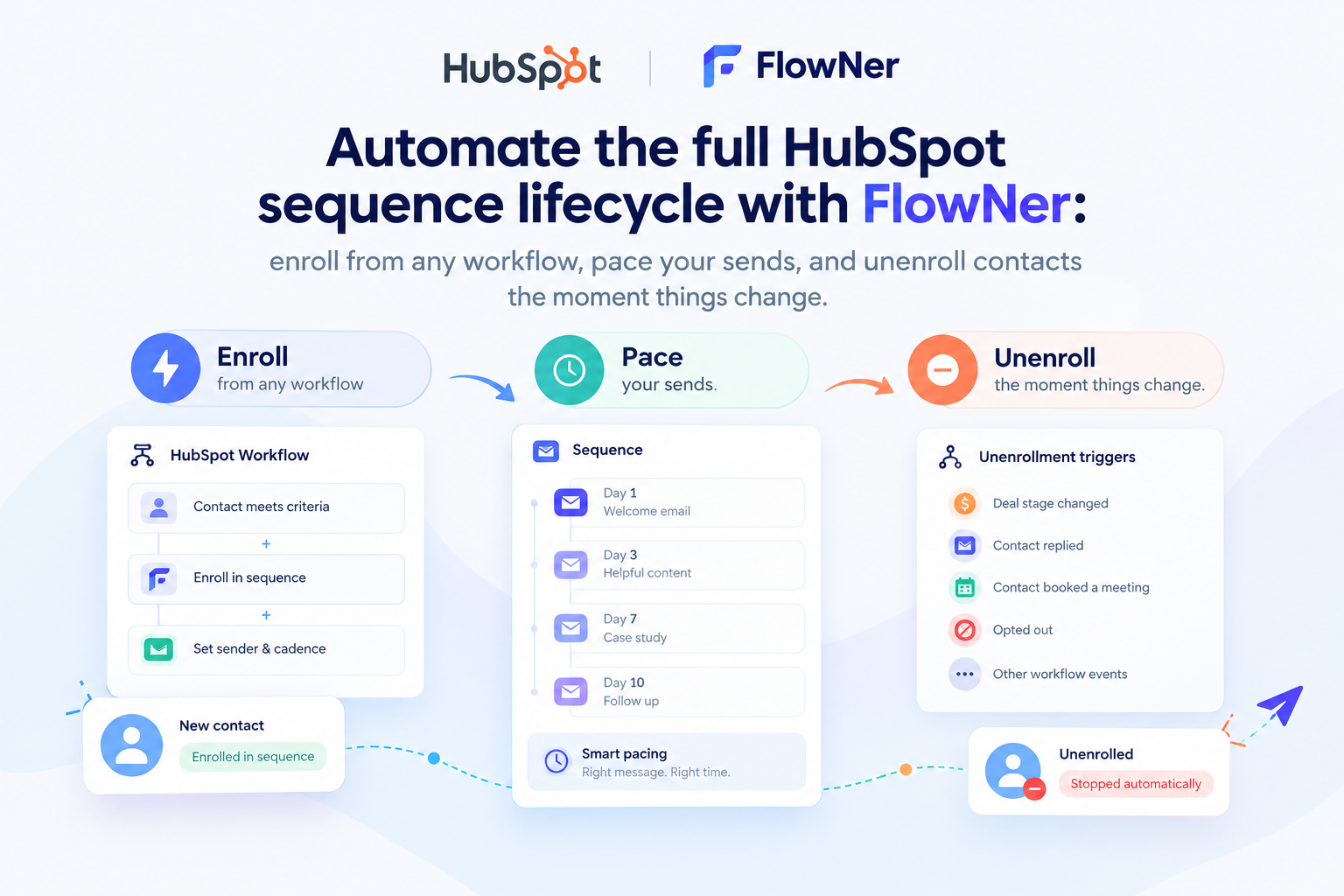
If you're running HubSpot on the Starter plan, you already know the frustration: Sequences — one of the most useful sales tools in HubSpot — is locked behind Sales Hub Pro. For teams that don't need the full Pro feature set but do need reliable, automated follow-ups, that upgrade can feel like paying for a lot of extra software just to unlock one feature.
That's the gap FlowNer (beta) – Enroll & Automate is built to close. It adds sequence-style enrollment and automation directly into your HubSpot account, so Starter (and Pro) users can send multi-step, personalized email follow-ups — no Sales Hub Pro required.
Here's a look at how it works.
A Dashboard Built for Follow-Through
FlowNer opens straight into a Dashboard that gives you the numbers that matter: active sequences, active contacts, emails sent, and replies. It's a simple, at-a-glance view of whether your automation is actually running and working — not just switched on.
The dashboard also surfaces a live Recent Activity feed, logging events like unsubscribes and bounces in near real time. That means if a sequence starts bouncing emails, you'll see it immediately instead of finding out days later when someone checks the numbers.
Sequences: Draft, Activate, Pause, Reuse
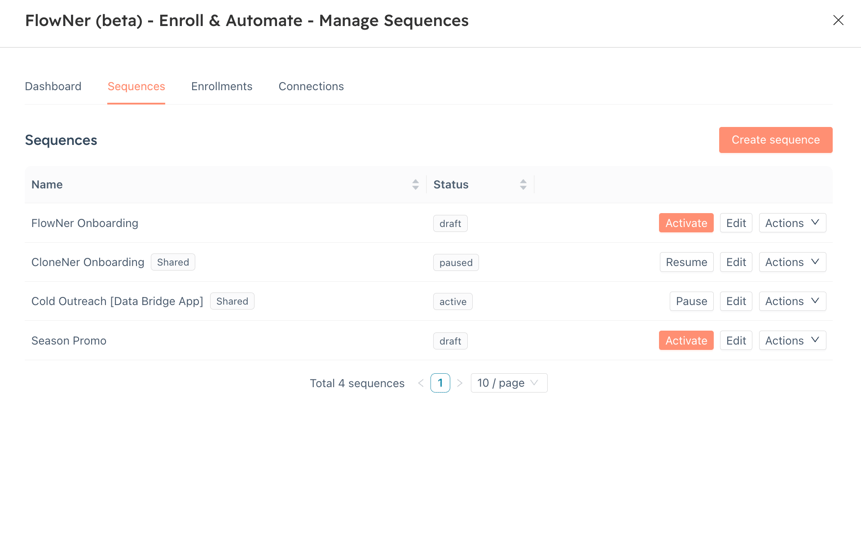
The Sequences tab is where the automation itself lives. Every sequence shows its name, sharing status, and current state — draft, active, or paused — with one-click controls to Activate, Pause, Resume, Edit, or dig into more options under Actions.
A few details worth calling out for teams evaluating this:
- Shared sequences let a team standardize on a proven outreach flow (like a "Cold Outreach" or onboarding sequence) instead of everyone building their own from scratch.
- Draft status means you can build and refine a sequence before it ever touches a real contact.
- Multiple sequences can run side by side, so onboarding, seasonal promos, and cold outreach don't have to compete for the same workflow.
Building a Sequence: Simple Controls, Real Guardrails
Creating a new sequence is a short form: name it, decide who on the account can see it, and optionally set a send window (with a "business days only" option to avoid weekend sends). Then you add steps — Email or Wait — and stack them in whatever order fits your outreach.
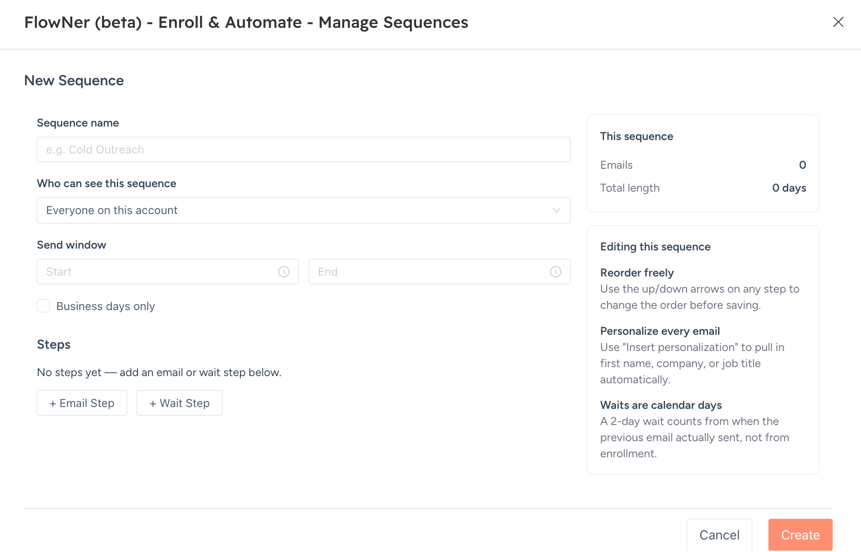
A couple of design choices here matter more than they might look at first glance:
- Waits are calendar days, and they count from when the previous email actually sent — not from enrollment. That's an important distinction, because it means your timing stays accurate even if a send is delayed.
- Personalization is built into the editor. The "Insert personalization" option pulls in first name, company, or job title automatically, so a sequence built once can still feel individually written.
- Each email step can also start a new thread instead of continuing the last one, giving you control over how a conversation reads in the contact's inbox.
Connections: Your Inbox, Your Sending Reputation
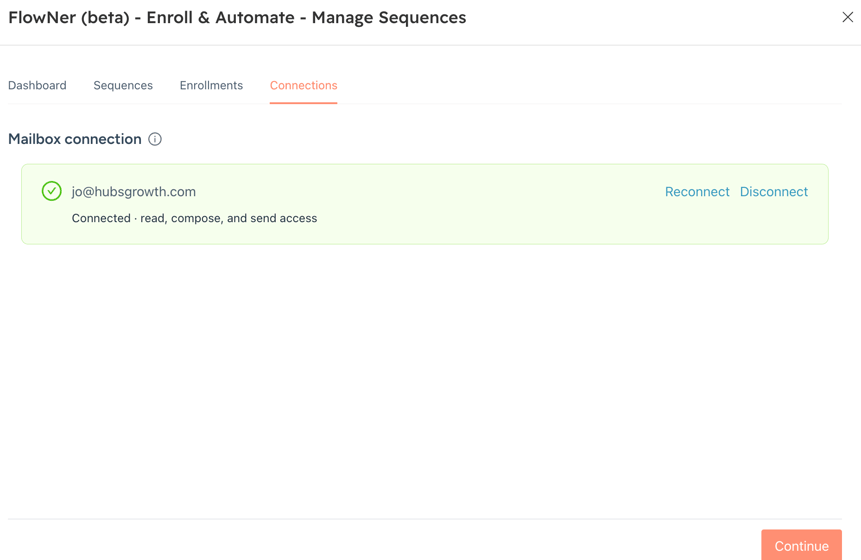
Under Connections, FlowNer shows the mailbox that's authorized to send on your behalf — with clear status (Connected), the exact permissions granted (read, compose, and send access), and one-click Reconnect or Disconnect controls.
This matters for trust as much as functionality: you can see exactly which inbox is sending your sequences, confirm it's authorized, and revoke access instantly if needed.
Everything Else, One Click Away
FlowNer also drops a compact action menu directly into the HubSpot interface: Manage Sequences, Connect Mailbox, Enroll from Segment (List), App Usage, AI Assistant, and Subscribe/Upgrade Plan. It's designed so you don't have to leave your normal HubSpot workflow to enroll a list or check how much of your plan you're using.
Why This Matters for Starter Plan Teams
The core value proposition is straightforward: sequence automation shouldn't require a Sales Hub Pro subscription. FlowNer runs on top of HubSpot Starter, giving smaller teams, agencies, and growing businesses access to:
- Multi-step, automated email follow-ups
- List and segment-based enrollment
- Personalization at scale
- Bounce, unsubscribe, and reply tracking
- Shared, team-wide sequence templates
...without the cost of upgrading your entire HubSpot subscription just to get one feature working.
Try It in Beta
FlowNer is currently in beta, and the team is actively refining it based on real usage. If you're on HubSpot Starter and have been holding off on automated follow-ups because of the Sales Hub Pro requirement, this is worth a look.
Have questions about setting up FlowNer on your HubSpot account? Reach out to the 4CRMS team — we're happy to walk you through it.