
Discover the May 2026 4CRMs updates across our Apps. A brand-new app launch, expanded object support, smarter workflow filters, and a drag-and-drop UI builder help you save time, reduce errors, and automate HubSpot workflows.
May brings some of our biggest news yet - including a brand-new app joining the 4CRMs family. Here's everything new:
FlowNer – Enroll Contacts in Sequences
🔥 New App Launch: FlowNer is Here - and It's Free
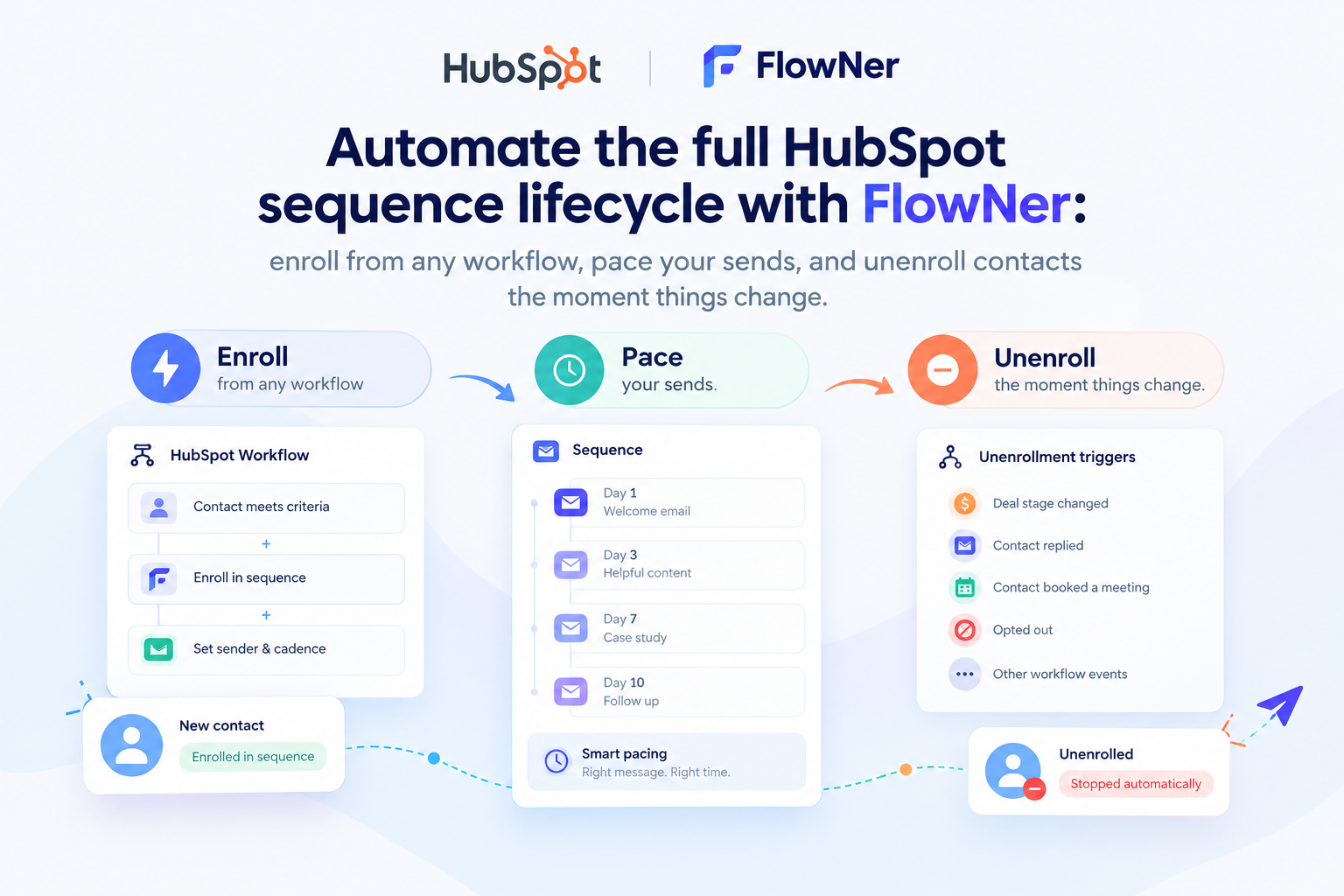
We're excited to introduce FlowNer, the newest addition to the 4CRMs app lineup. FlowNer adds a native workflow action inside HubSpot that lets you automatically enroll contacts into sequences - no manual steps, no switching between tools, and no Enterprise plan required.
If you've ever wished HubSpot could just handle sequence enrollment automatically as part of your existing workflows, FlowNer is the answer.
Why it matters for business:
- Saves time by eliminating manual sequence enrollment
- Reduces errors from forgetting to enroll contacts at the right moment
- Enables full automation of outreach without upgrading your HubSpot plan
CloneNer – Clone & Duplicate
1. Clone HubSpot Custom Objects - Appointments, Listings, Courses, and More
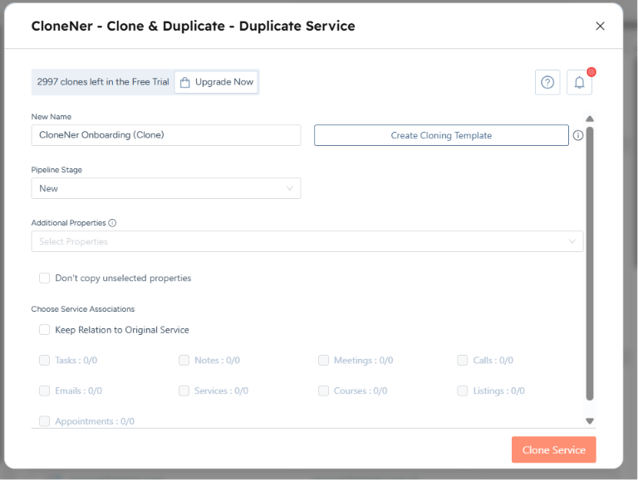
CloneNer now supports cloning records inside any HubSpot custom object - including Appointments, Listings, Courses, Services, and whatever custom objects your team has built. Previously focused on standard objects like deals and tickets, CloneNer now extends its full cloning power across your entire HubSpot portal.
 Why it matters for business:
- Saves time by eliminating manual recreation of custom object records
- Reduces errors when duplicating complex object structures
- Enables consistent, scalable workflows for any industry-specific HubSpot setup

2. Improved Template Library
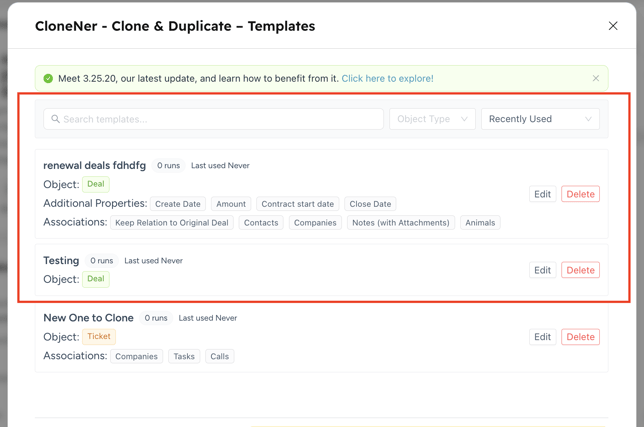
You can now see key template details - Object Type, Additional Properties, and Associations - directly in the template list, without opening each one individually.
Why it matters for business:
- Saves time by letting you find and select the right template at a glance
- Reduces errors from opening the wrong template
- Makes managing large template libraries faster and more organized
LineNer – Manage Products & Bundles
Filters for Update Line Item Workflow
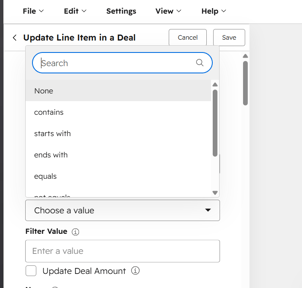
LineNer now supports filters in the "Update Line Item in a Deal" workflow action. You can target exactly which line items to update based on conditions such as product name, SKU, or other criteria - so bulk updates apply only where they're actually needed.
Why it matters for business:
- Saves time by updating only the relevant line items in one step
- Reduces errors from blanket updates that affect unintended items
- Enables more precise and controlled automation across complex deals
Get your Free LineNer test-drive!
Copy Line Items Between Deals
Improved Bundles Library
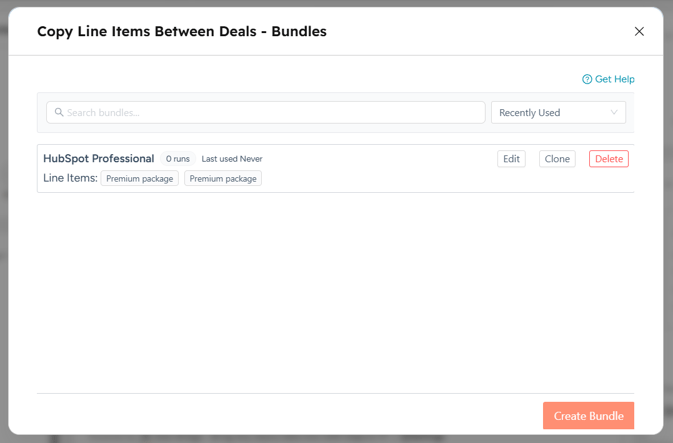
The Bundles list in Copy Line Items Between Deals now shows more details at a glance - bundle name, run count, last used date, and included line items - all visible directly in the list without opening each bundle separately.
Why it matters for business:
- Saves time by finding the right bundle faster
- Reduces errors from selecting the wrong bundle
- Makes managing multiple bundles cleaner and more organized
Data Bridge – Bring External Data
Drag-and-Drop UI / UX Builder for the Grid
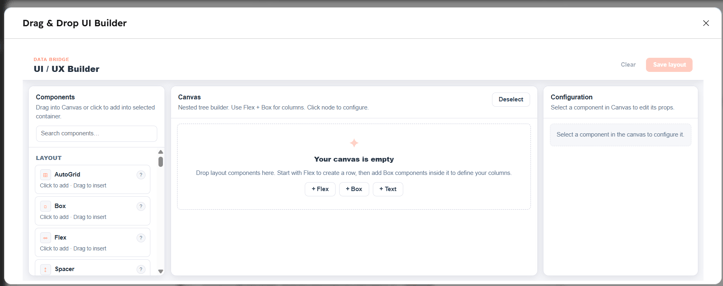
Data Bridge now includes a full drag-and-drop UI/UX Builder to create custom layouts within HubSpot records. Using a visual canvas with Flex, Box, and content components, you can design nested component trees - text, labels, toggles, and more - and configure each element's properties in real time without writing a single line of code.
Why it matters for business:
- Saves time by building custom HubSpot record views visually, without code
- Reduces errors from manual layout configuration
- Enables fully customized data displays that match your team's exact workflow needs
We'd Love Your Feedback
We're always working to make HubSpot workflows smarter, faster, and more reliable. These updates - from the FlowNer launch to expanded object cloning, smarter line item filters, and a visual UI builder - are all designed to give you more control with less manual work.
More updates are on the way, so stay tuned and feel free to share your feedback. It helps us build HubSpot apps that truly support the way you work.
Get started with the latest updates today and see how they can simplify your workflows!