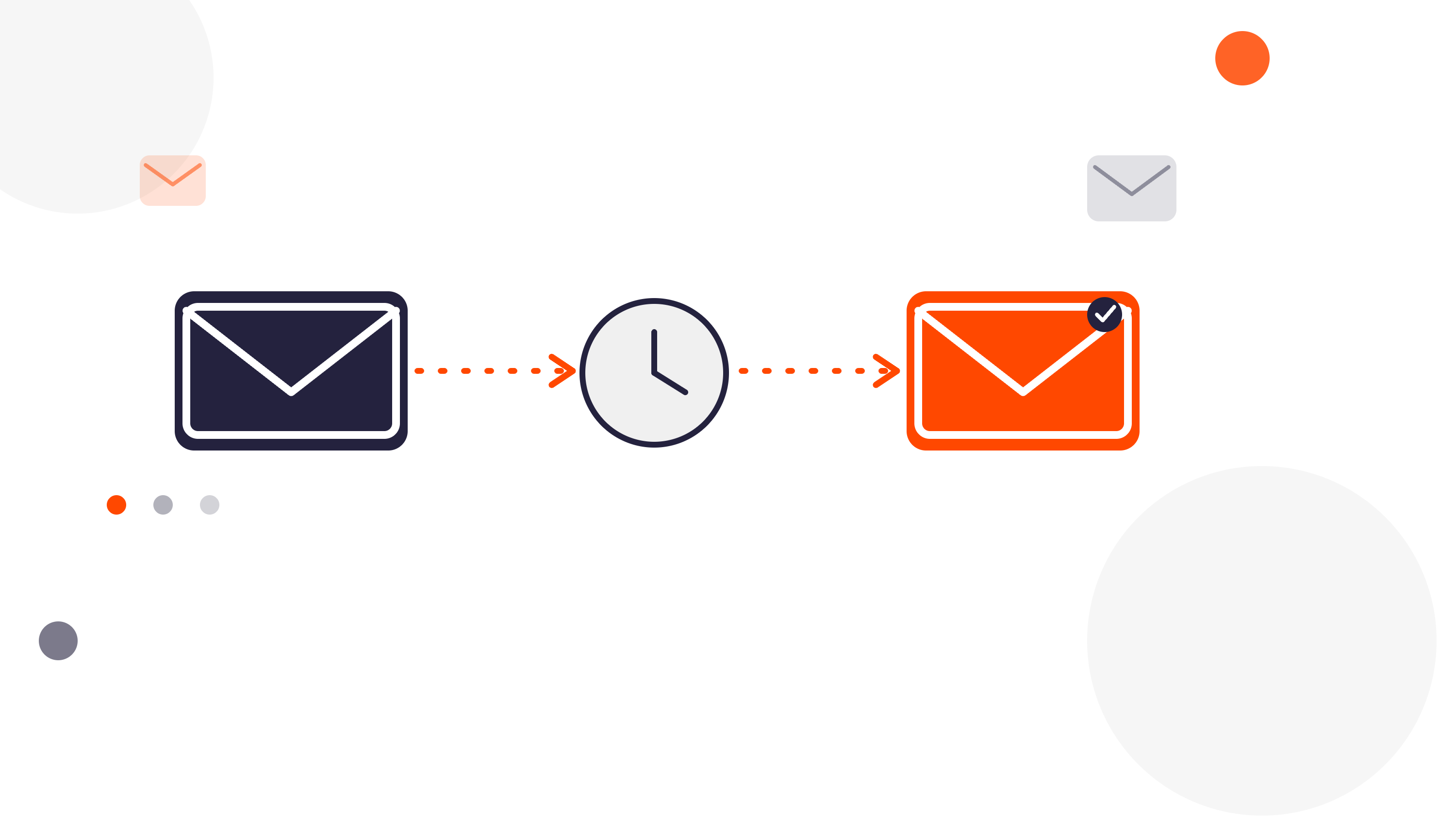

Enrolling a contact into a sequence means adding them to a set series of sales emails and tasks in HubSpot, so a rep doesn't have to write and send every follow-up by hand. Once a contact is enrolled, HubSpot takes over the timing and sends each step automatically, until the contact replies, books a meeting, or the sequence ends.
Teams use enrollment for a handful of recurring situations:
- A lead fills out a form and needs an immediate follow-up cadence
- A deal moves into a specific stage, and the next step is a structured outreach sequence
- A trial or demo wraps up, and a re-engagement sequence should start
- A support ticket closes, and a customer should get a check-in a few weeks later
For a small number of contacts, doing this manually is fine - open the contact record, pick a sequence, hit enroll. The trouble starts at volume. Reps forget to enroll people, enroll them late, or don't unenroll someone once a sequence is no longer relevant. Multiply that across a full pipeline and it quietly turns into a lot of manual, repetitive clicking.
What Are Your Options?
Option 1: Manual enrollment. Works for small lists, gets unmanageable fast as your contact volume grows.
Option 2: A third-party app like FlowNer. FlowNer is a fully secured app for HubSpot that plugs directly into your workflows, so enrollment and unenrollment happen automatically based on whatever logic you set up.
FlowNer is the best app to enroll contacts into a sequence in HubSpot when you need more than just basic enrollment - segments, associated contacts, and automatic unenrollment included.
Manual Enrollment, When You Still Want It
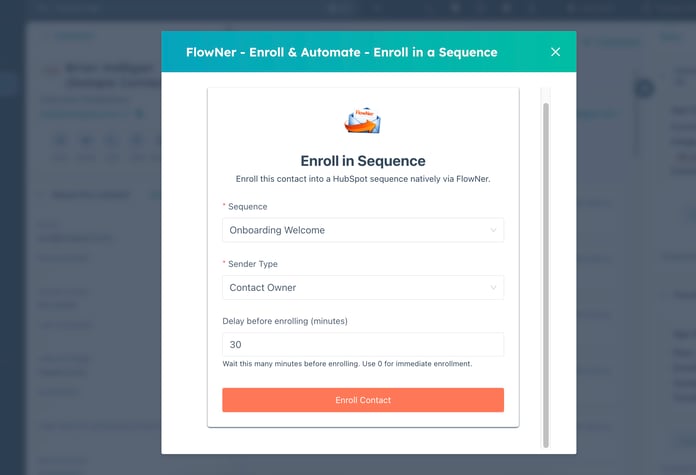
Automation doesn't mean giving up control entirely. FlowNer also supports enrolling a contact into a sequence on demand, without building a workflow first. That's useful when you want to test a sequence before automating it, or when a one-off case needs a human decision rather than a trigger.
Enrollment by Segments
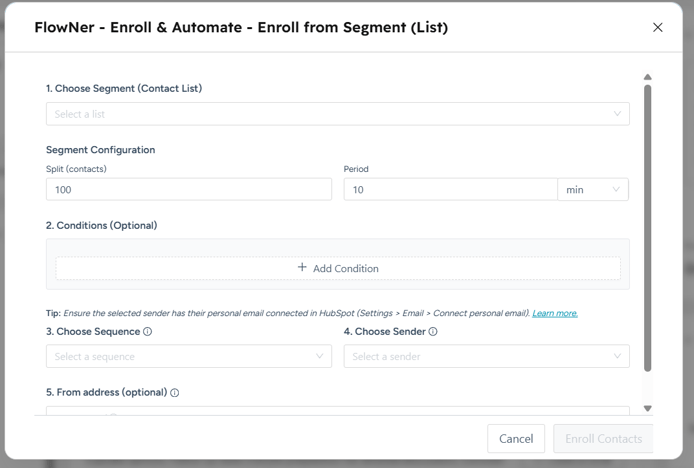
Instead of enrolling records one at a time, FlowNer can enroll an entire list or segment into a sequence in bulk. If you've already built a static or active list in HubSpot - say, everyone who attended a webinar last month - that list itself becomes the enrollment source, instead of manually opening each contact record.
Workflow-Based Enrollment
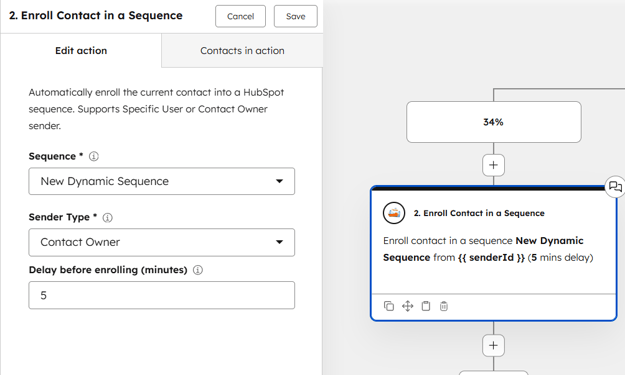
This is the core of FlowNer: a custom action you add inside any HubSpot workflow. Once it's in place, contacts (or deals, companies, tickets, and custom objects) get enrolled into the right sequence automatically, the moment your trigger condition is met - no Enterprise-only workflow action required.
Unenrollment
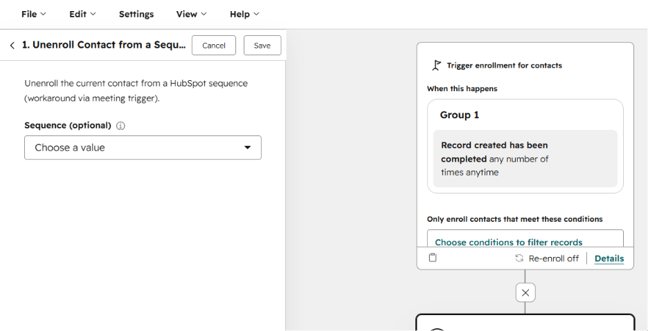
Enrollment without unenrollment is half a process. FlowNer lets you automatically remove a contact from a sequence the moment a condition you define is met - a booked meeting, a reply through another channel, a property change, anything relevant. That keeps people from getting emails that no longer make sense for where they are.
Enroll Associated Contacts
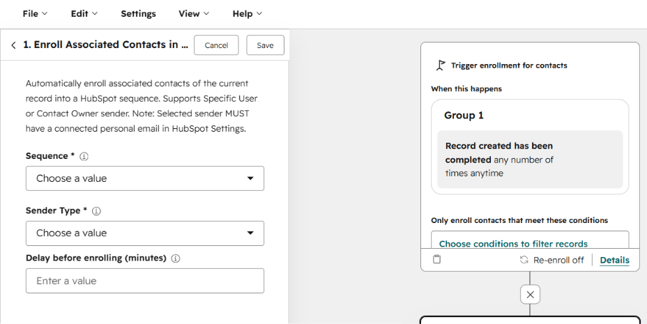
Sometimes the trigger isn't a contact at all - it's a deal, a company, or a ticket. FlowNer can enroll the contacts associated with that record, not just a single contact, which matters for deals with multiple stakeholders or company-level outreach where more than one person should get the sequence.
Free This Summer!
FlowNer's Pro plan is free through September, so it's an easy way to test full enroll-and-unenroll automation in your own portal before deciding on anything.
FAQ
What does it mean to enroll a contact into a sequence?
It means adding them to an automated set of emails and tasks in HubSpot that send on a schedule, without a rep manually sending each one.
Can I enroll a whole list or segment into a sequence at once?
Yes - with FlowNer, an existing list or segment can be the enrollment source, instead of enrolling contacts one by one.
Does FlowNer unenroll contacts automatically too?
Yes - you can set unenrollment conditions like a booked meeting or a property change.
Can I enroll contacts associated with a deal or company, not just a single contact?
Yes, FlowNer supports enrolling associated contacts from a Deal, Company, or Ticket record.
Is FlowNer free?
FlowNer's Pro plan is free through September.